
Best Mug Presses for Sublimation and Infusible Ink (2026)
The best mug presses for 11 and 15 oz mugs: Cricut Mug Press, PYD Life's mini press, BetterSub's dual-mug press, and two tumbler presses that also do mugs.
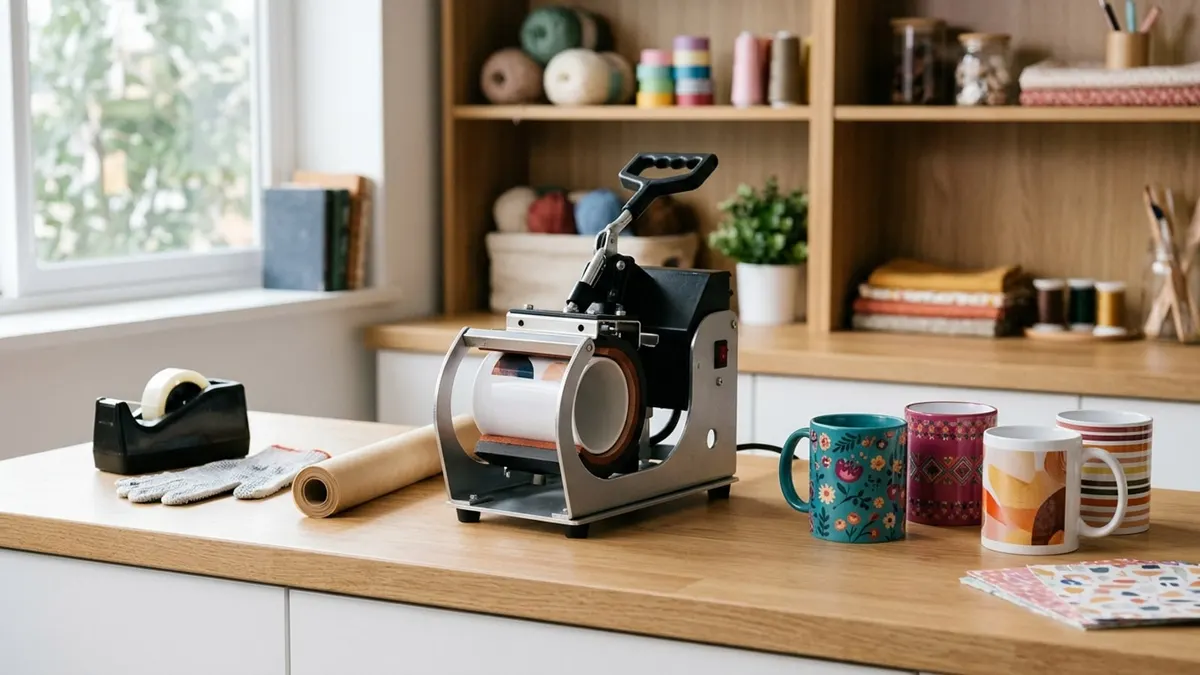
Affiliate disclosure: product links on this page go to Amazon, or to the maker's own store for brands that sell only direct. As an Amazon Associate we earn from qualifying purchases, at no extra cost to you; a link to a maker's store earns us nothing. No retailer or brand sees our picks before they are published or has any say in them. How we choose.
For a crafter who makes mugs as gifts or sells a few a week, the Cricut Mug Press is the simplest choice: there are no temperature or pressure settings to get wrong, just one button, for 11 to 16 oz straight-walled mugs from 3.2 to 3.4 inches across. Know two things before you buy it: it has to be activated through a computer with a USB port and an internet connection, and it is built for Infusible Ink and poly-coated sublimation blanks.
If you want to set time, temperature and pressure yourself, the PYD Life Mini Mug Press is a small, adjustable press for 11 and 15 oz mugs. For volume, BetterSub's 3-in-1 presses two mugs at once and switches to tumbler heaters. Picks are based on the makers' pages where we could read them and the Amazon listings otherwise, with each listing-only figure labelled.
Our top picks at a glance
1. Best for beginners
Cricut Mug Press (with 4 blank mugs)Fits: 11 to 16 oz, 3.2 to 3.4 in · Max temp: Not published (one-touch) · Settings: None to set · Warranty: 1 year (per the listing)
2. Best adjustable mug press
PYD Life Mini Mug Press (11 and 15 oz)Fits: 3.1 to 3.4 in, prints up to 3.7 in tall · Max temp: 482°F · Settings: Time, temp, pressure · Warranty: Maker's warranty (term not stated)
3. Best for volume
BetterSub 3-in-1 Tumbler and Dual Mug PressFits: Two 11/15 oz mugs; 16 to 40 oz tumblers · Max temp: 482°F (per the listing) · Settings: Time, temp, dual pressure knobs · Warranty: 1 year (per the listing)
4. Best if you also make tumblers
HTVRONT Auto Tumbler Heat PressFits: 10 to 30 oz, 2.9 to 3.2 in · Max temp: 390°F (per the listing) · Settings: Time, temp; auto pressure · Warranty: 1 year (per the listing)
5. Best budget
VEVOR 11 to 30 oz Tumbler and Mug PressFits: 11 to 30 oz, up to 9.8 in tall · Max temp: 482°F · Settings: Time, temp, pressure knob · Warranty: None stated by VEVOR
| Pick | Fits | Max temp | Settings | Warranty | Buy |
|---|---|---|---|---|---|
| Cricut Mug Press (with 4 blank mugs)Best for beginners | 11 to 16 oz, 3.2 to 3.4 in | Not published (one-touch) | None to set | 1 year (per the listing) | Amazon |
| PYD Life Mini Mug Press (11 and 15 oz)Best adjustable mug press | 3.1 to 3.4 in, prints up to 3.7 in tall | 482°F | Time, temp, pressure | Maker's warranty (term not stated) | Amazon |
| BetterSub 3-in-1 Tumbler and Dual Mug PressBest for volume | Two 11/15 oz mugs; 16 to 40 oz tumblers | 482°F (per the listing) | Time, temp, dual pressure knobs | 1 year (per the listing) | Amazon |
| HTVRONT Auto Tumbler Heat PressBest if you also make tumblers | 10 to 30 oz, 2.9 to 3.2 in | 390°F (per the listing) | Time, temp; auto pressure | 1 year (per the listing) | Amazon |
| VEVOR 11 to 30 oz Tumbler and Mug PressBest budget | 11 to 30 oz, up to 9.8 in tall | 482°F | Time, temp, pressure knob | None stated by VEVOR | Amazon |
Best for beginners
Cricut Mug Press (with 4 blank mugs)
One button, no settings to learn, and even results on Cricut-sized mugs.
- Fits
- 11 to 16 oz, 3.2 to 3.4 in
- Max temp
- Not published (one-touch)
- Settings
- None to set
- Warranty
- 1 year (per the listing)
Pros
- One-touch operation with no manual temperature or pressure settings, per Cricut
- A heat plate with zone heating for consistent results, and auto-off
- This listing is sold by Amazon itself and includes four 12 oz blank mugs
Cons
- Must be activated with a PC or Mac with a USB port and internet before it works
- Only straight-wall mugs 82 to 86 mm (3.2 to 3.4 in) across
- No way to adjust for a blank that needs different settings
The Cricut Mug Press does one job. Cricut lists it for 11 to 16 oz (350 to 470 ml) Infusible Ink compatible mugs, 82 to 86 mm across, plus poly-coated, straight-wall sublimation mug blanks in the same range. There are no manual temperature or pressure settings: you load the mug and press the button, and a zone-heated plate does the rest. Cricut lists auto-off as a safety feature.
The trade-off for that simplicity is control and setup. The box includes a USB cord for activation, and Cricut says the press will not function until it is activated on a PC or Mac with a USB port and internet connection. If you plan to use other brands' blanks that need longer or hotter presses, an adjustable press is the better tool. Cricut lists the press on its own at $149.99 on its site.
Best adjustable mug press
PYD Life Mini Mug Press (11 and 15 oz)
A small press with a touchscreen for time and temperature and a separate pressure knob, sized for 11 and 15 oz mugs.
- Fits
- 3.1 to 3.4 in, prints up to 3.7 in tall
- Max temp
- 482°F
- Settings
- Time, temp, pressure
- Warranty
- Maker's warranty (term not stated)
Pros
- Touchscreen for time and temperature, a knob for pressure
- 110 V, 303 W, 32 to 482°F and a 1 to 999 second timer, per the listing
- Compact at about 11.6 by 6.4 by 7.5 inches and 9.57 lb, per the listing
Cons
- Print height tops out at 3.7 inches, so tall 15 oz mugs may need the design kept short
- Mugs only: no tumbler or bottle heaters
- The listing does not state the warranty term
PYD Life's Mini Mug Press is the adjustable alternative to Cricut's one-button press. The listing gives a mug diameter range of 3.1 to 3.4 inches, a maximum print height of 3.7 inches, 110 V and 303 W, a temperature range of 32 to 482°F and a timer from 1 to 999 seconds. Time and temperature are set on a touchscreen knob on top; pressure is a second knob on the side.
That control is the point. If you buy blanks from several makers, each with its own recommended time and temperature, you can follow each sheet exactly. Measure the printable height of your mugs: at 3.7 inches, the heater covers a standard 11 oz mug but not the full height of some taller 15 oz styles.
Best for volume
BetterSub 3-in-1 Tumbler and Dual Mug Press
Two 11 or 15 oz mugs per press on the dual station, plus 20 to 30 oz and 40 oz tumbler heaters in the box.
- Fits
- Two 11/15 oz mugs; 16 to 40 oz tumblers
- Max temp
- 482°F (per the listing)
- Settings
- Time, temp, dual pressure knobs
- Warranty
- 1 year (per the listing)
Pros
- Dual mug station presses two 11 or 15 oz mugs at once, per the listing
- Includes 20 to 30 oz and 40 oz tumbler attachments
- 110 V, 500 W and described as UL certified in the listing
Cons
- Sold by BetterSub's store, not Amazon itself
- Swapping attachments and setting two pressure knobs takes practice
- Every figure here comes from the listing; we could not find BetterSub's own spec page
For a stall or an online shop that sells mugs by the dozen, pressing two at a time halves the work. BetterSub's 3-in-1 has a dual mug station for two 11 or 15 oz mugs, plus a 20 to 30 oz tumbler heater and a 40 oz heater for handled tumblers. The listing gives 110 V and 500 W, 0 to 482°F, a 0 to 999 second timer, dual pressure knobs and a one-year warranty, and says the unit is UL certified.
It is a manual press, so each station's knob needs setting for your mugs. Start with one mug, confirm the result, then run both stations together.
Best if you also make tumblers
HTVRONT Auto Tumbler Heat Press
An auto tumbler press that also takes straight mugs within its 2.9 to 3.2 inch range, and sets pressure on its own.
- Fits
- 10 to 30 oz, 2.9 to 3.2 in
- Max temp
- 390°F (per the listing)
- Settings
- Time, temp; auto pressure
- Warranty
- 1 year (per the listing)
Pros
- Automatic pressure for the cup's diameter
- One machine for 11 and 15 oz mugs and 20 and 30 oz skinny tumblers
- 15-minute idle shutoff and an emergency stop
Cons
- Mugs wider than 3.2 inches will not fit
- Lower top temperature (390°F) than the mug-only presses here
- Sold by HTVRONT's store, not Amazon itself
If tumblers are part of your plan, buy one machine that does both. The HTVRONT Auto Tumbler Heat Press takes straight cups from 2.9 to 3.2 inches across and 10 to 30 oz, which covers many 11 and 15 oz mugs, and it applies pressure automatically, per the listing. Our tumbler press guide covers it in detail alongside a 40 oz press and an oven.
Best budget
VEVOR 11 to 30 oz Tumbler and Mug Press
An 11 to 30 oz touchscreen press sold by Amazon itself, for testing mugs and tumblers before spending more.
- Fits
- 11 to 30 oz, up to 9.8 in tall
- Max temp
- 482°F
- Settings
- Time, temp, pressure knob
- Warranty
- None stated by VEVOR
Pros
- VEVOR lists 590 W (US), 32 to 482°F and a 0 to 999 second timer
- Takes mugs and tumblers from 11 to 30 oz
- Sold by Amazon itself, with paper, tape and gloves in the box per the listing
Cons
- No manufacturer warranty stated on VEVOR's page
- No published diameter range
- Manual pressure
VEVOR's press is the inexpensive way to try mugs and tumblers on one machine. VEVOR's product page lists 590 W for the US model, 32 to 482°F, a 0 to 999 second timer, a 30-minute idle shutoff and a maximum cup height of 9.8 inches. VEVOR does not publish a diameter range or a standard warranty, so buy from a seller with simple returns and test a few mugs early.
How we chose
We compared mug presses on the mug sizes and diameters they fit, how much control they give you over time, temperature and pressure, how many mugs they press at once, and the warranty. Cricut's figures come from Cricut's product page. For the other brands we could not read a maker spec page for every model, so listing figures are labelled where they appear.
What to look for
One-touch or adjustable
A one-touch press like Cricut's removes the settings, which suits gift-makers and anyone using Cricut's own blanks and Infusible Ink. An adjustable press lets you follow each blank maker's instructions, which matters once you buy from several suppliers. Neither is better in general; it depends on how many kinds of blank you use.
Diameter and print height
Mug presses grip a narrow range of diameters. Cricut's takes 82 to 86 mm (3.2 to 3.4 in); PYD Life's mini takes 3.1 to 3.4 inches and prints up to 3.7 inches tall. Measure your mugs where the design goes, and check the printable height against your artwork.
The blank must be coated
Sublimation ink bonds into polyester or into a polymer coating; Sawgrass describes that coating as what lets hard items like mugs take the ink. Cricut's press is rated for Infusible Ink compatible mugs and poly-coated, straight-wall sublimation blanks. An ordinary uncoated mug will not hold the image.
Tape the paper tightly
Sawgrass traces ghosting, a faint double image, to the transfer shifting during pressing, and says heat tape prevents it. Wrap the paper snugly, tape it, and let the mug cool on a heat-resistant surface before handling.
Quick comparison
| Press | Mugs per press | Also does tumblers | Settings |
|---|---|---|---|
| Cricut Mug Press | 1 | No | One-touch |
| PYD Life Mini Mug Press | 1 | No | Adjustable |
| BetterSub 3-in-1 | 2 | Yes, 16 to 40 oz | Adjustable |
| HTVRONT Auto Tumbler Press | 1 | Yes, 10 to 30 oz | Time and temp; auto pressure |
| VEVOR 11 to 30 oz | 1 | Yes, to 30 oz | Adjustable |
To make your own mug transfers you also need a sublimation printer, paper and ink; our sublimation printer guide covers them, and the DTF versus sublimation comparison explains why mugs are a sublimation job.
Frequently asked questions
Does the Cricut Mug Press work with sublimation?
Yes. Cricut says it is for Infusible Ink compatible mugs and for poly-coated, straight-wall sublimation mug blanks from 11 to 16 oz. It has no temperature settings, so results with other brands' blanks are not guaranteed.
Why does the Cricut Mug Press need a computer?
Cricut ships it with a USB cord for activation and says the press will not work until it is activated using a PC or Mac with a USB port and an internet connection. Plan for that before giving it as a gift.
What size mugs fit a mug press?
Each press takes a range of diameters. Cricut's fits 3.2 to 3.4 inches (82 to 86 mm), and PYD Life's mini fits 3.1 to 3.4 inches. Standard 11 and 15 oz straight mugs usually fall in that range, but measure yours.
Can I use a tumbler press for mugs?
Often, if the mug is straight-walled and within the heater's diameter range. HTVRONT's auto tumbler press takes cups from 2.9 to 3.2 inches across, which covers many 11 and 15 oz mugs.
Why is my sublimated mug blurry?
A blurred or doubled image is usually ghosting from the paper moving during pressing. Sawgrass says heat tape prevents it. Tape the paper tightly and avoid shifting the mug when you open the press.
Sources
Cover image: Illustration: CraftsCall (AI-generated)
Related guides
Best Hat Presses for Caps and Trucker Hats (2026)
Six ways to press a cap, from an auto press with 176 lb of pressure to a pro press with a heated lower platen, compared on platens, heat and pressure.
Best Heat Presses for T-Shirts and Small Shops (2026)
Six presses for shirt makers, from a handheld 12 x 10 to a shop-grade auto-open clam, compared on platen size, press style, pressure and power.
Best Tumbler Heat Presses for Sublimation (2026)
Five ways to sublimate tumblers, from an auto press that sets its own pressure to an oven that does four cups at once, matched by cup size and diameter.