
Best Vinyl Cutters for Making Shirts with HTV (2026)
The best cutting machines for heat transfer vinyl shirts in 2026: Cricut Explore 5, Siser Romeo 24, Silhouette Cameo 5 Alpha, Cricut Joy Xtra and Maker 5.
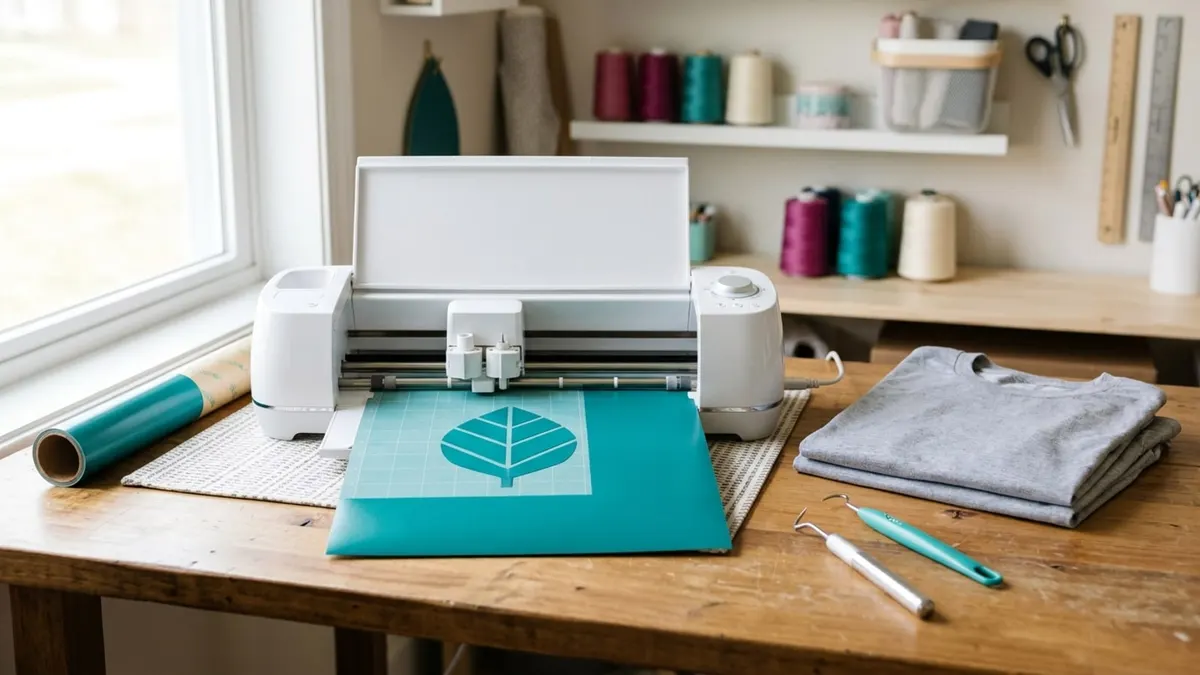
Affiliate disclosure: product links on this page go to Amazon, or to the maker's own store for brands that sell only direct. As an Amazon Associate we earn from qualifying purchases, at no extra cost to you; a link to a maker's store earns us nothing. No retailer or brand sees our picks before they are published or has any say in them. How we choose.
For making HTV shirts at home, the Cricut Explore 5 is the cutter we would buy: it cuts Cricut's Smart Iron-On up to 12 feet long without a mat, handles 100+ materials, connects over Bluetooth, and Cricut says it needs no subscription. Cricut lists the machine at $199. For a shirt shop cutting long runs and wide designs, the Siser Romeo takes material up to 25 inches wide and cuts 5+ yards from a roll.
If you prefer installed desktop software, the Silhouette Cameo 5 Alpha cuts up to 16 feet on lined material and runs Silhouette Studio over USB or Bluetooth. Picks are based on Cricut, Silhouette and Siser's own pages and comparison charts.
Our top picks at a glance
1. Best overall
Cricut Explore 5 (Essential Bundle)Cut width: 11.7 in (Cricut chart) · Matless length: 12 ft (Smart Materials) · Software: Design Space (free app) · Connect: Bluetooth, USB
2. Best for a shirt shop
Siser Romeo 24 in CutterCut width: 25 in max material · Matless length: 5+ yd with roll holder · Software: Leonardo Design Studio · Connect: Wi-Fi, USB
3. Best with desktop software
Silhouette Cameo 5 AlphaCut width: 12 in (with mat) · Matless length: 16 ft on lined material · Software: Silhouette Studio · Connect: USB, Bluetooth
4. Best compact cutter
Cricut Joy XtraCut width: 8.5 in · Matless length: 4 ft (Smart Materials) · Software: Design Space (free app) · Connect: Bluetooth
5. Best if you also cut fabric and wood
Cricut Maker 5 (Essential Bundle)Cut width: 12 in · Matless length: 12 ft (Smart Materials) · Software: Design Space (free app) · Connect: Bluetooth
| Pick | Cut width | Matless length | Software | Connect | Buy |
|---|---|---|---|---|---|
| Cricut Explore 5 (Essential Bundle)Best overall | 11.7 in (Cricut chart) | 12 ft (Smart Materials) | Design Space (free app) | Bluetooth, USB | Amazon |
| Siser Romeo 24 in CutterBest for a shirt shop | 25 in max material | 5+ yd with roll holder | Leonardo Design Studio | Wi-Fi, USB | Amazon |
| Silhouette Cameo 5 AlphaBest with desktop software | 12 in (with mat) | 16 ft on lined material | Silhouette Studio | USB, Bluetooth | Amazon |
| Cricut Joy XtraBest compact cutter | 8.5 in | 4 ft (Smart Materials) | Design Space (free app) | Bluetooth | Amazon |
| Cricut Maker 5 (Essential Bundle)Best if you also cut fabric and wood | 12 in | 12 ft (Smart Materials) | Design Space (free app) | Bluetooth | Amazon |
Best overall
Cricut Explore 5 (Essential Bundle)
The easiest way to cut HTV for shirts: 12 foot matless cuts on Smart Iron-On, Bluetooth, and no required subscription.
- Cut width
- 11.7 in (Cricut chart)
- Matless length
- 12 ft (Smart Materials)
- Software
- Design Space (free app)
- Connect
- Bluetooth, USB
Pros
- Cuts Smart Vinyl and Smart Iron-On up to 12 feet long with no mat, per Cricut
- Precision-cuts 100+ popular materials, including vinyl, iron-on and cardstock
- Cricut's FAQ says the machine does not require a subscription
Cons
- Matless cutting works only with Cricut's Smart Materials; other brands go on a mat
- Design Space needs a Bluetooth device and an internet connection
- Cricut's own pages give 11.7 in and 12 in for cut width
For shirts, two features matter most: cutting iron-on cleanly and cutting long designs without fuss. Cricut says the Explore 5 cuts Smart Vinyl and Smart Iron-On up to 12 feet long with no mat, and cuts other compatible materials on a 12 by 12 or 12 by 24 inch mat. It precision-cuts 100+ materials, works with several tools including a deep-cutting blade sold separately, and connects to Cricut's Design Space app over Bluetooth.
Cricut lists the machine alone at $199 and says it does not require a subscription. This bundle, sold by Amazon itself, adds supplies for 65 projects. Pair it with a 15 x 15 heat press for selling; our heat press guide covers the options, and the EasyPress vs AutoPress comparison covers Cricut's own presses.
Best for a shirt shop
Siser Romeo 24 in Cutter
A 24 inch roll-fed cutter from the maker of EasyWeed, for wide designs and long runs of vinyl.
- Cut width
- 25 in max material
- Matless length
- 5+ yd with roll holder
- Software
- Leonardo Design Studio
- Connect
- Wi-Fi, USB
Pros
- Takes material up to 25 inches wide and cuts 5+ yards with the roll holder, per Siser
- Maximum cutting speed of 24 inches per second and 0.01 mm precision, per Siser
- Wi-Fi or USB, with Siser's Leonardo Design Studio software
Cons
- Larger and heavier (21 lb, 36.25 in long) than desktop cutters
- Siser's page links its warranty but does not state the terms
- Sold on Amazon through a reseller
A shop cutting team names on jerseys or the same design on dozens of shirts outgrows a 12 inch machine quickly. Siser's Romeo takes rolls up to 25 inches wide and cuts 5+ yards with its roll holder, at up to 24 inches per second with 0.01 mm precision, per Siser. It ships with 45° and 60° blades, connects by Wi-Fi or USB, and uses Siser's Leonardo Design Studio; the listing notes it works with Windows and Mac.
Siser also makes EasyWeed heat transfer vinyl, and its own application settings (305°F for 10 to 15 seconds at medium pressure for EasyWeed) are in our heat press settings chart.
Best with desktop software
Silhouette Cameo 5 Alpha
A 12 inch cutter that runs Silhouette Studio on your computer and cuts up to 16 feet on lined material.
- Cut width
- 12 in (with mat)
- Matless length
- 16 ft on lined material
- Software
- Silhouette Studio
- Connect
- USB, Bluetooth
Pros
- A guaranteed operating area of 12 x 24 inches with a mat, or 11.6 inches x 16 feet on lined material without one, per Silhouette
- Cutting speeds up to 300 mm/s, per Silhouette's spec table
- AutoBlade (Type B) included; Silhouette Studio is a download, not a browser app
Cons
- Silhouette's page does not list warranty terms
- Silhouette Studio has a learning curve for newcomers
- Matless cutting needs lined material (like HTV on its carrier)
Silhouette's Cameo 5 Alpha is the main alternative to Cricut for crafters who want to work in desktop software. Silhouette lists a 12 by 24 inch guaranteed operating area with a mat and 11.6 inches by 16 feet without a mat on lined material, cutting speeds from 1 to 300 mm/s, an AutoBlade (Type B), USB and Bluetooth, and Silhouette Studio software version 5.0.402 or later. Silhouette lists it at $279.99.
Heat transfer vinyl comes on a clear carrier, which counts as lined material, so long HTV designs can run without a mat. Choose the Cameo if you want your designs and files on your own computer rather than in a cloud app.
Best compact cutter
Cricut Joy Xtra
An 8.5 inch cutter that fits on a shelf, for kids' shirts, chest logos and small runs.
- Cut width
- 8.5 in
- Matless length
- 4 ft (Smart Materials)
- Software
- Design Space (free app)
- Connect
- Bluetooth
Pros
- Cricut lists it at $179, the lowest here
- Cuts Smart Materials up to 4 feet without a mat, per Cricut's chart
- Small enough to store when not in use
Cons
- 8.5 inch width limits adult shirt-front designs
- Shorter matless cuts than the Explore 5
- Fewer compatible materials and tools than the larger Cricuts
Cricut's comparison chart gives the Joy Xtra an 8.5 inch cut width and 4 foot matless cuts on Smart Materials, with a list price of $179. That covers chest logos, kids' shirts, sleeve prints, labels and decals. For full adult shirt fronts, the Explore 5's wider cut is the better fit.
Best if you also cut fabric and wood
Cricut Maker 5 (Essential Bundle)
Cricut's top machine, cutting 300+ materials with 13 tools, for makers whose shirts are only part of the work.
- Cut width
- 12 in
- Matless length
- 12 ft (Smart Materials)
- Software
- Design Space (free app)
- Connect
- Bluetooth
Pros
- Cuts 300+ materials and works with 13 tools, per Cricut's chart
- 12 inch cut width and 12 foot matless cuts on Smart Materials
- Cricut lists it at $349
Cons
- Costs more than the Explore 5 for the same HTV results
- The extra tools matter only for fabric, wood, leather and engraving
- This Amazon bundle is newer stock; check it says Maker 5
For HTV alone, the Maker 5 cuts no better than the Explore 5. Its case is everything else: Cricut's chart says it cuts 300+ materials and works with 13 tools, including tools for engraving metal, debossing leather and cutting wood. Buy it if shirts are one part of a wider craft business; otherwise put the difference toward a better heat press.
How we chose
For shirts, a cutter's job is to cut heat transfer vinyl cleanly, through the vinyl and not the carrier, in the sizes your designs need. We compared cut width, how long a design can be cut without a mat, software, connectivity and price, using Cricut's product page and comparison chart, Silhouette's spec page and Siser's Romeo page.
Side by side
| Cutter | Cut width | Matless length | List price (maker) |
|---|---|---|---|
| Cricut Joy Xtra | 8.5 in | 4 ft | $179 |
| Cricut Explore 5 | 11.7 in | 12 ft | $199 |
| Silhouette Cameo 5 Alpha | 12 in with mat; 11.6 in without | 16 ft (lined material) | $279.99 |
| Cricut Maker 5 | 12 in | 12 ft | $349 |
| Siser Romeo | 25 in material | 5+ yd with roll holder | Not listed |
What to look for
Cut width and design size
Measure the widest design you plan to sell. Anything wider than the cutter's width has to be split into pieces and lined up on the shirt, which costs time and risks gaps. If you print large designs or team names across backs, a wider cutter like the Romeo avoids splitting.
Matless cutting
Cutting without a mat saves time on long designs. Cricut's matless cutting works with its Smart Materials; Silhouette's works on lined material such as vinyl on its carrier; the Romeo cuts from a roll. Any other material goes on a mat.
Software
Cricut's Design Space is a free app that connects over Bluetooth and needs an internet connection; Cricut says the Explore 5 needs no subscription, though Cricut Access adds designs and fonts for a fee. Silhouette Studio and Siser's Leonardo Design Studio install on your computer. Try each maker's software before you commit, since you will spend more time in it than at the machine.
The rest of the HTV setup
Cutting is half the job. You also need weeding tools, the vinyl itself, and a heat press set to the vinyl maker's instructions. Compare the costs and results with DTF and screen printing in our HTV, DTF and screen printing comparison.
Frequently asked questions
What is the best Cricut for making shirts?
The Cricut Explore 5 covers shirt-making for most people: it cuts Smart Iron-On up to 12 feet without a mat and works with 100+ materials. The Maker 5 adds tools for fabric, wood and leather, which HTV shirts do not need.
Does the Cricut Explore 5 need a subscription?
No. Cricut's FAQ says the machine does not require a subscription. Design Space is a free app; Cricut Access is an optional paid subscription for extra designs and fonts.
Is Silhouette or Cricut better for HTV?
Both cut HTV well. The choice comes down to software: Cricut uses the Design Space app, Silhouette uses Silhouette Studio installed on your computer. The Cameo 5 Alpha also cuts longer designs without a mat on lined material (16 ft).
Do I need a 24 inch vinyl cutter for shirts?
Not to start. A 12 inch cutter handles most shirt designs. A 24 inch cutter like the Siser Romeo pays off for wide designs, team names and long runs cut from rolls.
Can a vinyl cutter cut DTF or sublimation transfers?
A cutter is for vinyl and similar sheet materials. DTF and sublimation transfers are printed, not cut, although some sellers trim printed transfers. See our DTF and sublimation guides for those methods.
Sources
- Cricut Explore 5, Cricut
- Compare Cricut Machines, Cricut
- Silhouette Cameo 5 Alpha, Silhouette America
- Romeo 24 in Vinyl Cutter, Siser
- EasyWeed application instructions, Siser
Cover image: Illustration: CraftsCall (AI-generated)
Related guides
Best Button Makers for Pins, Badges and Craft Fair Sales (2026)
Six button makers from a lifetime-warranty steel press to a budget three-size kit, plus the cut-size chart every button maker needs.
Best Screen Printing Presses for a Home Shirt Shop (2026)
Four presses and a starter kit for screen printing shirts at home, what colors and stations mean, and how to cure plastisol properly.
HTV vs DTF vs Screen Printing: Which Shirt Method Fits Your Orders
Three ways to decorate shirts, compared on what designs they handle, which order sizes they suit, and what each takes to set up.