
What It Costs to Start DTF Printing: The Full Equipment List
Everything you need to start DTF printing (printer, oven, press, film, powder, ink, room setup) and how printing your own compares with buying transfers.
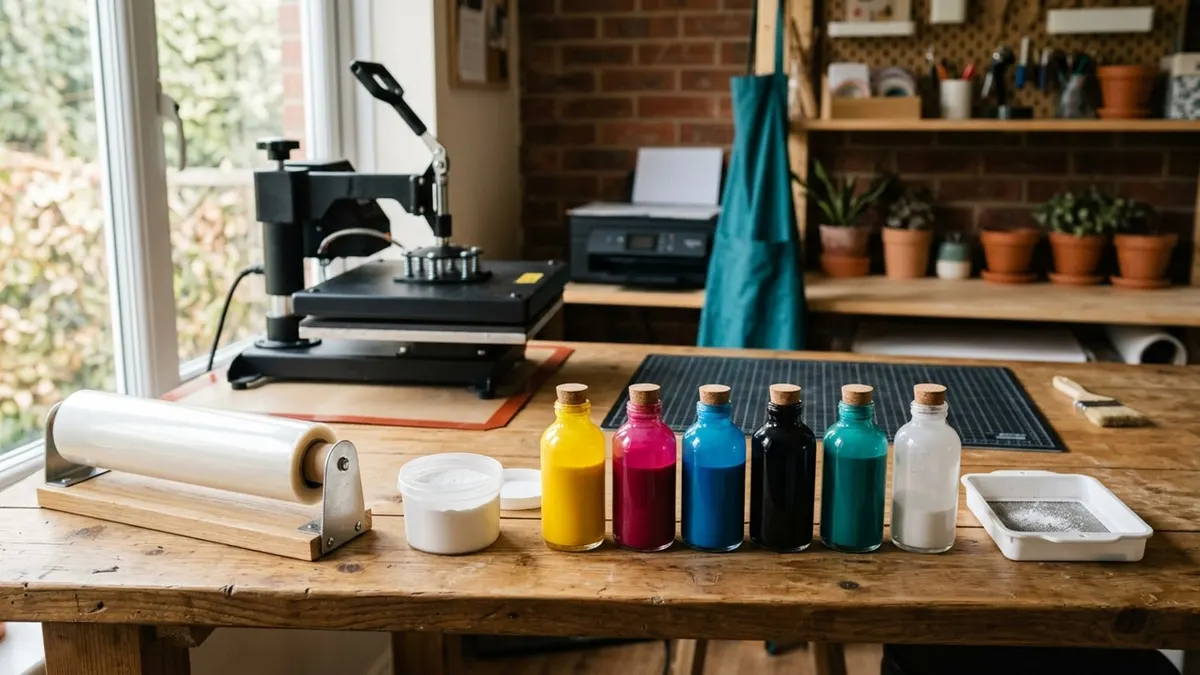
Affiliate disclosure: product links on this page go to Amazon, or to the maker's own store for brands that sell only direct. As an Amazon Associate we earn from qualifying purchases, at no extra cost to you; a link to a maker's store earns us nothing. No retailer or brand sees our picks before they are published or has any say in them. How we choose.
Starting DTF printing takes more than a printer. You need the printer with white ink, a way to cure the adhesive powder (an oven or shaker oven), a heat press, and a steady supply of film, powder and ink, plus a room kept at the temperature and humidity the printer maker specifies. The printer bundle is the largest cost; the consumables and the daily maintenance are the costs that last.
Before you buy, price the alternative: ordering ready-made DTF transfers and pressing them yourself. Stahls', for example, prices its UltraColor MAX DTF transfers from 6 cents per square inch, falling to as low as 4 cents with quantity, with a $0.35 minimum per piece. For low or uneven volume, that is often cheaper than running a printer.
The start-up list
Epson's user's guide for its DTF-capable SureColor F1070 lists the post-processing supplies alongside the printer: film, powder, a powder shaker or sieve, a tray larger than the film, and a mask and protective eyewear. Here is the full list with what each item does.
| Item | What it does | Notes |
|---|---|---|
| DTF printer (white ink) | Prints color plus a white layer onto PET film | Epson: powder will not stick unless white ink is printed |
| Curing oven or shaker oven | Melts the powder onto the printed film | Often sold in a bundle with the printer |
| Heat press (15 x 15 or larger) | Transfers the finished film to the garment | Use the transfer maker's settings |
| DTF film | The carrier the design is printed on | Match the width to the printer (13 or 14 in on desktop models) |
| Hot-melt powder | The adhesive that bonds the print to fabric | Apply away from the printer (Epson) |
| DTF ink set | Color plus white ink | xTool's tanks hold 500 mL per color and 1,000 mL of white |
| Shaker or sieve and a tray | Spreads powder evenly and catches the excess | Listed by Epson |
| Mask and protective eyewear | Keeps powder out of eyes and mouth | Listed by Epson |
| Humidifier and thermometer-hygrometer | Holds the room in the printer maker's range | Epson: 59 to 77°F, 40 to 60% RH |
| Windows computer (often) | Runs the printer's RIP software | Many DTF printers do not support Mac |
The big purchases
Printer and curing
Desktop DTF printers are sold alone or bundled with an oven, and the bundle is usually the better buy because a printer alone cannot finish a transfer. Automated systems that print, powder and cure in one line cost several times more. For reference, Epson lists its hybrid direct-to-garment and DTF SureColor F1070 at an MSRP of $4,995, before curing equipment. Our best DTF printer guide compares current kits.
Heat press
DTF transfers need firm, repeatable pressure, so a 15 x 15 press with set or readable pressure is worth having from the start. Stahls' instructions for its own DTF transfers call for 325°F on 100% cotton and 290°F on other fabrics, 12 to 15 seconds at medium pressure, peeled hot. See our heat press guide.
Consumables
Film, powder and ink are the ongoing costs. Buy film in the width your printer takes, powder from a supplier whose instructions you can follow, and ink matched to your printer (many makers sell their own). Check the live prices in the boxes below, and track how many prints each roll, bag and bottle actually gives you in the first month; that is the only reliable cost per print.
Costs people forget
- Maintenance ink. White ink settles, so DTF printers circulate and clean it automatically, and that uses ink whether or not you sell anything.
- Room conditions. Epson recommends 59 to 77°F and 40 to 60% relative humidity for its printer. In a dry or cold room, budget for a humidifier and heating.
- Ventilation and protection. Follow the safety data sheets for your powder and ink. Epson lists a mask and protective eyewear for powdering, and many shops add a fume extractor near the oven.
- Warranty gaps. Some DTF warranties cover ink-contact parts or printheads for less time than the rest of the printer. Read the terms before you buy.
- Test prints and waste. Expect to spend film, powder and garments dialing in your settings.
Print your own or buy transfers?
Stahls' published UltraColor MAX pricing makes the comparison concrete. At its starting rate of 6 cents per square inch and its volume rate of as low as 4 cents, here is what common designs cost to buy ready-made (a design is priced on its size, rounded up to the next whole inch):
| Design size | Square inches | At 6 cents | At 4 cents |
|---|---|---|---|
| Left chest, 4 x 4 in | 16 | $0.96 | $0.64 |
| Full front, 10 x 12 in | 120 | $7.20 | $4.80 |
| Large front, 12 x 14 in | 168 | $10.08 | $6.72 |
Stahls also sets a $0.35 minimum per piece and a maximum sheet of 22 x 22 inches, and says most orders placed by 8 AM ET ship the same business day. Buying transfers has no maintenance, no room setup and no idle-time ink use; printing your own pays off only when you print steadily, most days, and can sell what you make.
A sensible order of purchases
- Buy a good heat press and order transfers to test designs and demand.
- Track how many square inches of transfers you buy each month.
- When that spend is steady and high, price a DTF bundle against it, including consumables and maintenance.
- Set up the room (temperature, humidity, ventilation) before the printer arrives.
If your products are polyester or drinkware, compare sublimation too: our DTF vs sublimation guide covers the cheaper route for those items.
Frequently asked questions
How much does it cost to start DTF printing?
The printer bundle is the largest cost, and complete kits with an oven sell for thousands of dollars; Epson's hybrid SureColor F1070 lists at $4,995 before curing equipment. Add a heat press, film, powder, ink, and room equipment. Check live prices for each part before you budget.
Is it cheaper to buy DTF transfers or print them?
For low or uneven volume, buying is usually cheaper. Stahls prices its DTF transfers from 6 cents per square inch, down to as low as 4 cents with quantity, so a 10 x 12 inch front costs $4.80 to $7.20 ready-made, with no printer maintenance or idle ink use.
What supplies do I need besides a DTF printer?
DTF film, hot-melt powder, ink with white, a curing oven or shaker oven, a heat press, a powder shaker and tray, and a mask and protective eyewear for powdering, which Epson lists in its guide. Many printers also need a Windows computer.
Why does a DTF printer use ink when I am not printing?
White ink settles, so DTF printers circulate it and run automatic cleaning to keep the printhead clear. That maintenance uses ink and is part of the running cost, which is why DTF suits businesses that print most days.
What room conditions does a DTF printer need?
Follow the maker's range. Epson recommends 59 to 77°F and 40 to 60% relative humidity for its SureColor F1070. Dry air makes clogs more likely, so a humidifier is a common addition.
Sources
Cover image: Illustration: CraftsCall (AI-generated)
Related guides
Best DTF Printers for a Small Shirt Business (2026)
Four DTF setups from a 13 inch desktop kit to an automated print-to-bake line, compared on print width, printheads, curing and warranty.
Best Sublimation Printers for Shirts, Mugs and Tumblers (2026)
Five purpose-built sublimation printers compared on print size, ink system, software and warranty, and why a converted EcoTank is a risk.
Best UV DTF Printers for Cup Wraps and Stickers (2026)
How UV DTF differs from regular DTF, and five machines for sticker transfers and direct printing on hard goods.