
Best DTF Printers for a Small Shirt Business (2026)
The best DTF printers for a small apparel business in 2026: Procolored K13 Lite, xTool Apparel Printer Plus, Lancelot M1630 Pro and Epson's DTG and DTF hybrid.
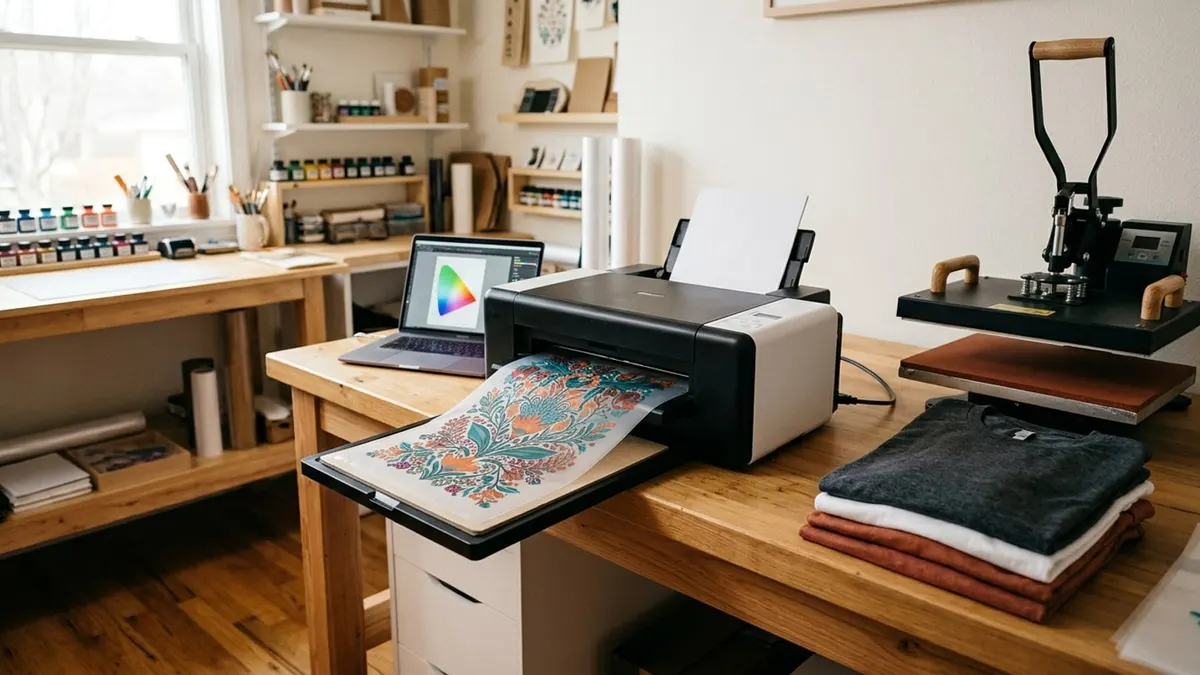
Affiliate disclosure: product links on this page go to Amazon, or to the maker's own store for brands that sell only direct. As an Amazon Associate we earn from qualifying purchases, at no extra cost to you; a link to a maker's store earns us nothing. No retailer or brand sees our picks before they are published or has any say in them. How we choose.
For most people starting a shirt business, the Procolored K13 Lite with oven is the DTF setup we would buy first: a 13 inch (A3) printer with white ink circulation and automatic cleaning, sold with the oven you need to cure the powder, from Procolored's own Amazon store. If you are already busy and want the printing, powdering and curing automated, the xTool Apparel Printer Plus with its shaker oven is the production choice, at roughly three times the price.
DTF (direct to film) prints your design in color plus white ink onto clear film, covers the wet ink with an adhesive powder, cures it, and then a heat press transfers it to a shirt. Every setup here needs that full chain, so the price of the printer is only part of the cost; our DTF start-up costs guide lists the rest.
Picks are based on the makers' pages and manuals where we could read them, Amazon listings otherwise (labelled), and stock on Amazon US from the makers' own stores.
Our top picks at a glance
1. Best for most small businesses
Procolored K13 Lite DTF Printer with OvenPrint width: 13 in (A3) · Printheads: 1 · Curing: Oven included · Warranty: 12 mo, 6 mo on ink parts (per the listing)
2. Best for volume
xTool Apparel Printer Plus with OS1 Shaker OvenPrint width: 14 in (A3) · Printheads: 2 (I1600) · Curing: OS1 shaker oven, automated · Warranty: 1 year, printheads excluded (per the listing)
3. Best all-in-one kit
Lancelot M1630 Pro DTF Printer Bundle (oven and laptop)Print width: A3+ (per the listing) · Printheads: 1 · Curing: Oven included · Warranty: 1 year (per the listing)
4. Best from a major printer maker
Epson SureColor F1070 (DTG and DTFilm)Print width: Garment platens; see Epson · Printheads: PrecisionCore Micro TFP · Curing: Separate (not included) · Warranty: 1 year limited
| Pick | Print width | Printheads | Curing | Warranty | Buy |
|---|---|---|---|---|---|
| Procolored K13 Lite DTF Printer with OvenBest for most small businesses | 13 in (A3) | 1 | Oven included | 12 mo, 6 mo on ink parts (per the listing) | Amazon |
| xTool Apparel Printer Plus with OS1 Shaker OvenBest for volume | 14 in (A3) | 2 (I1600) | OS1 shaker oven, automated | 1 year, printheads excluded (per the listing) | Amazon |
| Lancelot M1630 Pro DTF Printer Bundle (oven and laptop)Best all-in-one kit | A3+ (per the listing) | 1 | Oven included | 1 year (per the listing) | Amazon |
| Epson SureColor F1070 (DTG and DTFilm)Best from a major printer maker | Garment platens; see Epson | PrecisionCore Micro TFP | Separate (not included) | 1 year limited | Epson |
Best for most small businesses
Procolored K13 Lite DTF Printer with Oven
A complete 13 inch DTF kit with white ink circulation and auto cleaning, from the best-known name in desktop DTF.
- Print width
- 13 in (A3)
- Printheads
- 1
- Curing
- Oven included
- Warranty
- 12 mo, 6 mo on ink parts (per the listing)
Pros
- White ink circulation runs regularly to keep the white ink from settling, and automatic cleaning helps prevent clogs
- An infrared sensor watches for warped film and particles as small as 2 mm to protect the printhead, per the listing
- Sold as a bundle with the curing oven, so the print-powder-cure chain is complete out of the box
Cons
- One printhead, so it is slower than dual-head machines
- Ink-contact parts carry 6 months of coverage, half the rest of the printer, per the listing
- You still apply powder by hand and need a separate heat press
The K13 Lite is Procolored's simplified 13 inch (A3) printer. The listing describes LiteHead technology with automatic cleaning, a white ink circulation system that runs on a schedule to stop the white ink settling, one-touch ink pumping, a touchscreen, and G7-certified color profiles in its Procolored Studio Lite software. It prints on film for cotton, polyester, denim and canvas.
Buy the bundle with the oven: the printer alone cannot finish a transfer. After printing, the wet film is covered with hot-melt powder and cured, and Epson's own DTF guidance is blunt that the powder will not stick unless white ink is printed underneath. Plan on a separate 15 x 15 heat press for the last step; our heat press guide covers those.
The warranty, per the listing, is 12 months on parts that do not touch ink and 6 months on ink-contact parts. White ink is the part of DTF that needs regular use; if you plan to print once a month, a DTF printer is the wrong tool, and ordering ready-made transfers makes more sense.
Best for volume
xTool Apparel Printer Plus with OS1 Shaker Oven
A dual-head 14 inch printer that prints, cuts, powders and bakes with one click when paired with its shaker oven.
- Print width
- 14 in (A3)
- Printheads
- 2 (I1600)
- Curing
- OS1 shaker oven, automated
- Warranty
- 1 year, printheads excluded (per the listing)
Pros
- Dual I1600 printheads at 720 x 1800 dpi, with A3 prints in about 90 seconds, per the listing
- The shaker oven automates cutting, powdering and curing, so you load film and collect finished transfers
- Built-in humidifier holds 45 to 65% humidity around the printheads, plus wet capping after 24 hours idle
Cons
- About three times the price of the K13 Lite bundle, and the bundle weighs about 234 lb (per the listing)
- The one-year warranty excludes the printheads, per the listing
- Built for daily production; idle time works against any DTF printer
xTool's Apparel Printer Plus is the most automated DTF setup sold on Amazon US. The listing gives two I1600 printheads, 720 x 1800 dpi, speeds of up to 50 square feet an hour, and A3 prints in about 90 seconds. Paired with the OS1 shaker oven in this bundle, it runs the whole chain (print, cut, powder, cure) from one click, the steps that take most of the labor in DTF.
Two features address the usual DTF failure, clogged white ink. A built-in humidifier holds the air around the printheads at 45 to 65% humidity, and an automatic wet-capping system seals the heads after 24 hours idle. Epson recommends a similar 40 to 60% relative humidity for its own DTF printer, so the target is sound.
Buy it when demand is proven. The one-year warranty excludes the printheads, per the listing, and like every DTF printer it rewards daily use. xTool also sells a bundle that adds a fume extraction system.
Best all-in-one kit
Lancelot M1630 Pro DTF Printer Bundle (oven and laptop)
A printer, oven and preloaded Windows laptop in one box, with auto film cutting and a holiday mode for idle weeks.
- Print width
- A3+ (per the listing)
- Printheads
- 1
- Curing
- Oven included
- Warranty
- 1 year (per the listing)
Pros
- Includes the oven, a laptop preloaded with drivers and software, and starter consumables, per the listing
- Prints on A3 or A4 sheets as well as roll film, and cuts the film automatically
- A holiday mode runs automatic cleaning while the printer sits unused
Cons
- Windows only: the listing says it does not work with a Mac
- Support is arranged through WhatsApp, per the listing
- Every figure here comes from the listing; we found no maker spec page
Lancelot's M1630 Pro bundle answers the beginner's first question (what else do I need?) by putting most of it in the box. The listing includes the printer, a curing oven, a laptop preloaded with the drivers and software, and starter consumables, and it describes white ink circulation, automatic film cutting, support for both cut sheets and roll film, and a holiday mode that cleans the head during downtime.
The trade-offs are platform and support. The listing says the software runs on Windows 7, 10 and 11 but not on a Mac, which is common among DTF printers, and that after-sales support is arranged over WhatsApp. Treat it as a capable kit from a smaller seller, and keep records of the setup in case you need warranty help.
Best from a major printer maker
Epson SureColor F1070 (DTG and DTFilm)
Epson's hybrid that prints straight onto garments (DTG) or onto film (DTFilm), with Epson's warranty and dealer support.
- Print width
- Garment platens; see Epson
- Printheads
- PrecisionCore Micro TFP
- Curing
- Separate (not included)
- Warranty
- 1 year limited
Pros
- Prints directly on garments up to 1 inch thick or on transfer film, per Epson
- Epson UltraChrome DG2 ink in 250 mL packs, with nozzle verification
- Sold and supported through Epson dealers, with extended service plans available
Cons
- MSRP $4,995 from Epson, before a curing oven and heat press
- Not sold on Amazon; buy through an Epson dealer
- Direct-to-garment printing on cotton needs a pre-treatment step
The SureColor F1070 is Epson's answer for a shop that wants both methods: direct-to-garment printing for one-off cotton shirts and DTFilm for transfers. Epson lists a PrecisionCore Micro TFP printhead with nozzle verification, UltraChrome DG2 ink in 250 mL packs, printing on materials up to 1 inch thick, a one-year limited warranty, and an MSRP of $4,995 for the Standard Edition.
Its user's guide is also the clearest maker document on DTF practice we found: apply powder away from the printer, wear a mask and protective eyewear while powdering, follow the film and powder makers' instructions for curing, and keep the room between 59 and 77°F at 40 to 60% relative humidity. Because Epson sells through dealers only, this pick links to Epson's own page.
How we chose
A DTF printer is one part of a production chain, so we compared complete setups: print width, number of printheads, how the white ink is kept moving, what curing equipment is included, the warranty (including how it treats the printhead and ink parts), and the software platform. We favored sellers that are the makers' own stores on Amazon, and labelled every figure that comes only from a listing.
What to look for in a DTF printer
The whole chain, not just the printer
A DTF transfer goes through four steps: print color plus white ink onto film, cover the wet ink with hot-melt powder, cure it, and press it onto the garment. A printer sold alone covers only the first. Bundles with an oven or shaker cover the next two; you always need a heat press for the last. Transfer makers then publish the pressing settings: Stahls', for example, applies its UltraColor MAX DTF transfers at 325°F on 100% cotton and 290°F on other fabrics for 12 to 15 seconds at medium pressure, peeled hot.
White ink management
White ink is what makes DTF print on dark shirts, and it is also what clogs printers. Look for white ink circulation, automatic cleaning or capping, and a plan to print most days. If your sales are occasional, buying ready-made DTF transfers and pressing them yourself avoids the maintenance entirely.
Print width and speed
Desktop DTF printers print 13 to 14 inches wide, enough for an adult shirt front or several small designs ganged on one sheet. Dual-head machines like the xTool print faster, which matters only if you can sell what they produce.
Room conditions
Epson recommends running its DTF-capable printer at 59 to 77°F and 40 to 60% relative humidity. Dry air thickens ink at the nozzles, which is why xTool builds a humidifier into its printer. In a dry winter room, a humidifier and a thermometer-hygrometer are cheap insurance.
Powder handling and ventilation
Epson's guide says to apply powder away from the printer, because powder inside it can cause a malfunction, and to wear a mask and protective eyewear while powdering. Read the safety data sheet for your powder and ink, follow its ventilation advice for curing, and consider a fume extractor; xTool sells one in a bundle with its printer.
Warranty fine print
DTF warranties often split coverage: Procolored's listing gives 12 months on non-ink parts and 6 months on ink-contact parts, and xTool's listing excludes the printheads from its one-year warranty. Read what is covered before you buy.
DTF or something else?
DTF prints full color on cotton and dark garments, which is its main advantage over sublimation (polyester and light colors only) and vinyl (simple designs). Our DTF versus sublimation guide and HTV, DTF and screen printing comparison help you pick the method before you pick the machine. For hard goods like tumblers, look at a UV DTF printer instead.
Frequently asked questions
What do I need to start DTF printing?
A DTF printer with white ink, DTF film, hot-melt powder, a way to cure the powder (an oven or a shaker oven), and a heat press to apply the transfers. Bundles like the Procolored K13 Lite with oven cover everything except the heat press.
Is DTF printing hard to maintain?
It needs regular use. White ink settles and can clog the printhead, which is why DTF printers add white ink circulation, automatic cleaning and capping. Printing most days and keeping the room at the humidity the maker recommends are the main habits.
Can a DTF printer work on a Mac?
Many cannot. The Lancelot M1630 Pro listing says it runs on Windows only, which is common for DTF printer software. Check the software requirements before you buy, or plan on a Windows computer for the printer.
Do DTF fumes need ventilation?
Follow the safety data sheet for your ink and powder, which sets the ventilation and protection required. Epson's guide also says to wear a mask and protective eyewear while applying powder. Many shops add a fume extractor near the curing oven.
Is DTF better than screen printing for a small business?
For small runs and full-color designs, usually yes: there are no screens to make and each transfer can be different. Screen printing becomes cheaper per shirt on large runs of one design. See our HTV, DTF and screen printing comparison.
What temperature do you press DTF transfers at?
Use the settings from the transfer or film maker. Stahls' applies its UltraColor MAX DTF transfers at 325°F on 100% cotton and 290°F on other fabrics, 12 to 15 seconds at medium pressure, peeled hot.
Sources
Cover image: Illustration: CraftsCall (AI-generated)
Related guides
Best Sublimation Printers for Shirts, Mugs and Tumblers (2026)
Five purpose-built sublimation printers compared on print size, ink system, software and warranty, and why a converted EcoTank is a risk.
Best UV DTF Printers for Cup Wraps and Stickers (2026)
How UV DTF differs from regular DTF, and five machines for sticker transfers and direct printing on hard goods.
DTF vs Sublimation: Which Printing Method Fits What You Sell
The two most popular print-and-press methods compared on fabrics, colors, hard goods, equipment and running work, with the makers' own rules.